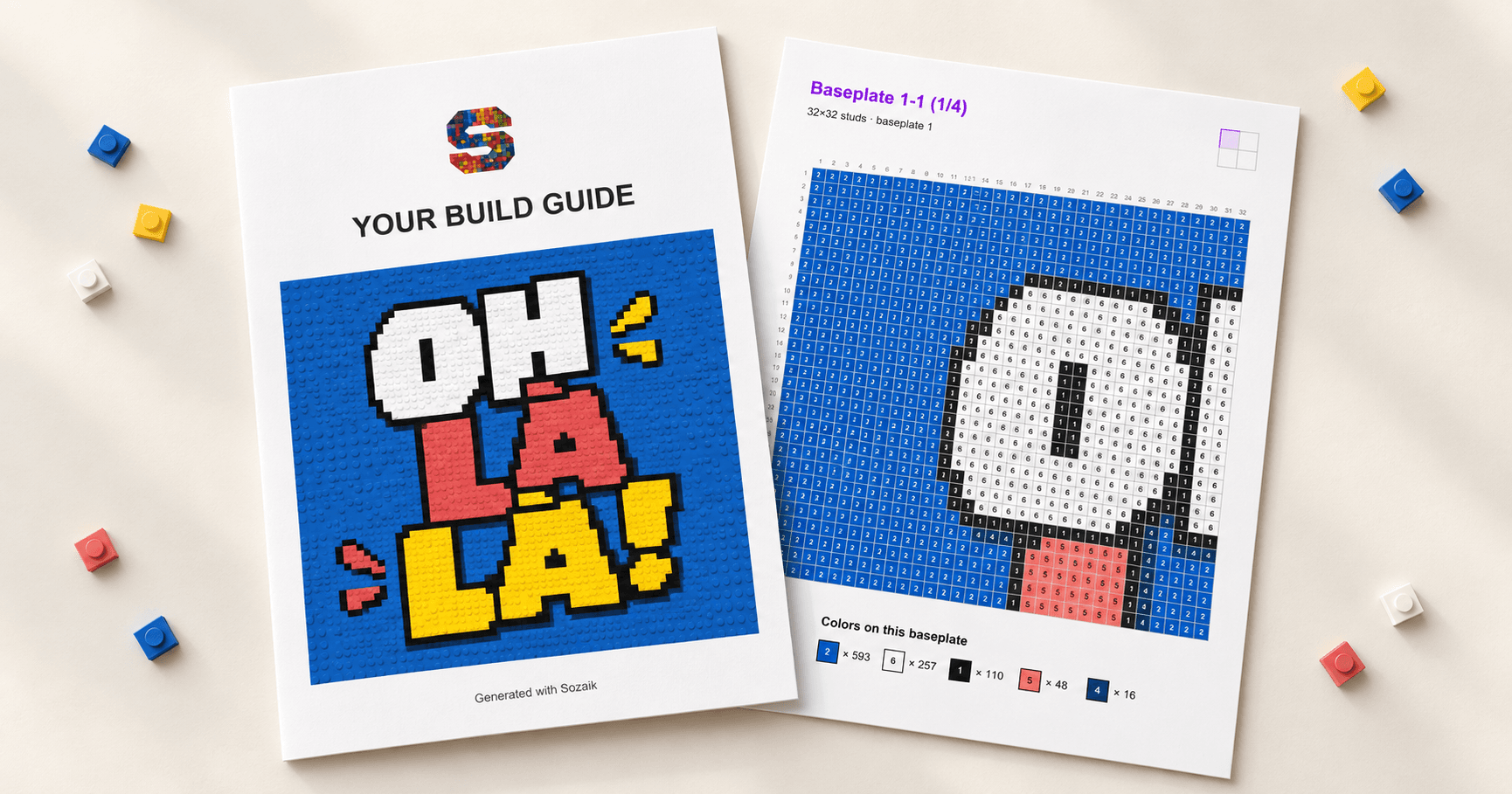
You have found the right composition, chosen your colors, and generated a mosaic you want to build. Now comes the practical part: knowing which pieces to prepare, where each one belongs, and how the finished baseplates fit together.
The Sozaik Build Guide turns your baseplate project into a downloadable PDF with that information in one place. It carries your design from the Studio to the building table, giving you a numbered plan to follow at your own pace.
Generate a guide from your mosaic
Once your design is ready in Sozaik Studio, the export process is straightforward:
- Generate your mosaic. Check the result, including the colors, details, and balance of Basic and Tile pieces.
- Save your project. Give it a recognizable name so the downloaded guide is easy to find.
- Open Download. Select Sozaik Build Guide to generate and download the PDF.
The guide is designed for baseplate projects, and download access depends on your plan. If the option prompts you to upgrade, follow the access information shown in the Studio. After changing your design, generate a new guide so your building instructions match the version you want to make.
What is inside the PDF?
The guide combines an overview of the artwork with the details you need during construction. To see how it works, take the “Oh la la!” project: a 64 × 64-stud mosaic made from four 32 × 32 baseplates. Its nine-page guide covers 4,096 mosaic pieces in six colors.
A cover preview shows the generated mosaic. The following pages provide a color legend, a separate grid for each baseplate, a finished-mosaic reference, an assembly map, and an inventory. Each section answers a different question, from “Which blue is this?” to “Where does this completed plate go?”
Read the colors by number
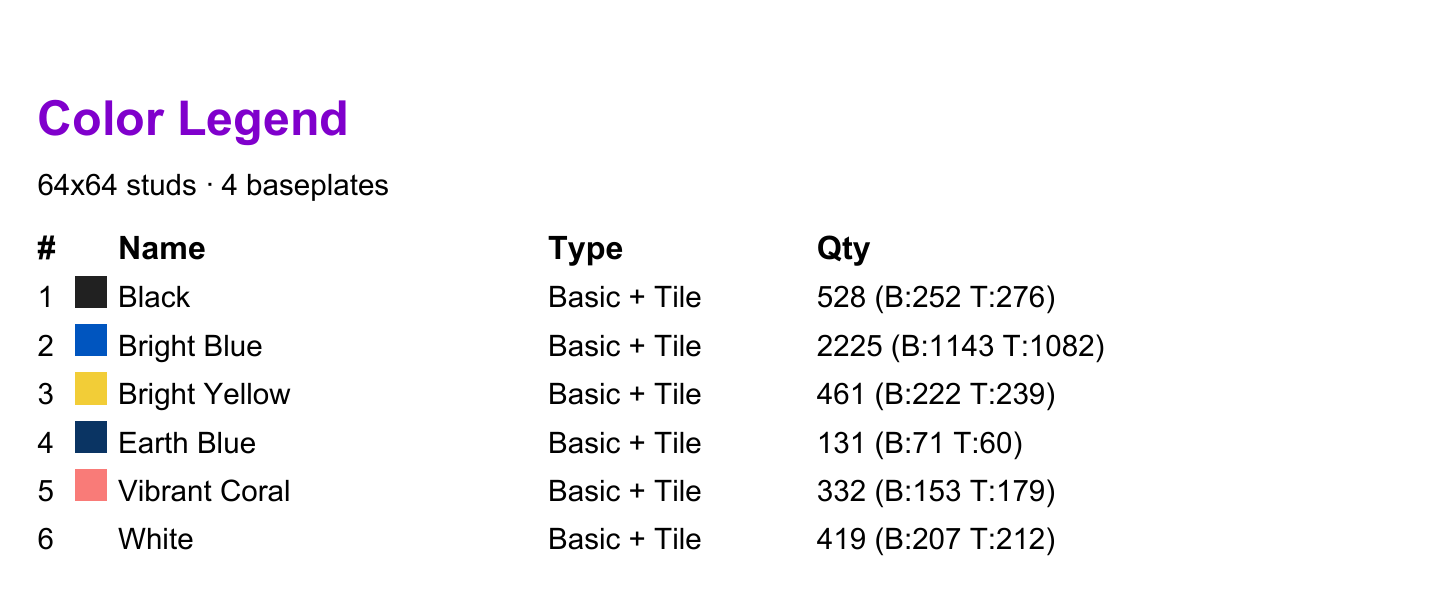
The Color Legend assigns a number to each color and lists its name, piece type, and quantity. Those numbers also appear inside the building grids, so you can identify a piece without relying on the printed color alone.
In the “Oh la la!” guide, for example, 2 means Bright Blue, while 6 means White. The legend lists 2,225 Bright Blue pieces, split into 1,143 Basic pieces and 1,082 Tiles. Basic pieces have a visible stud; Tiles have a smooth top. Keeping the two types separate while sorting helps you reproduce the texture of the design as well as its colors.
Build one baseplate at a time
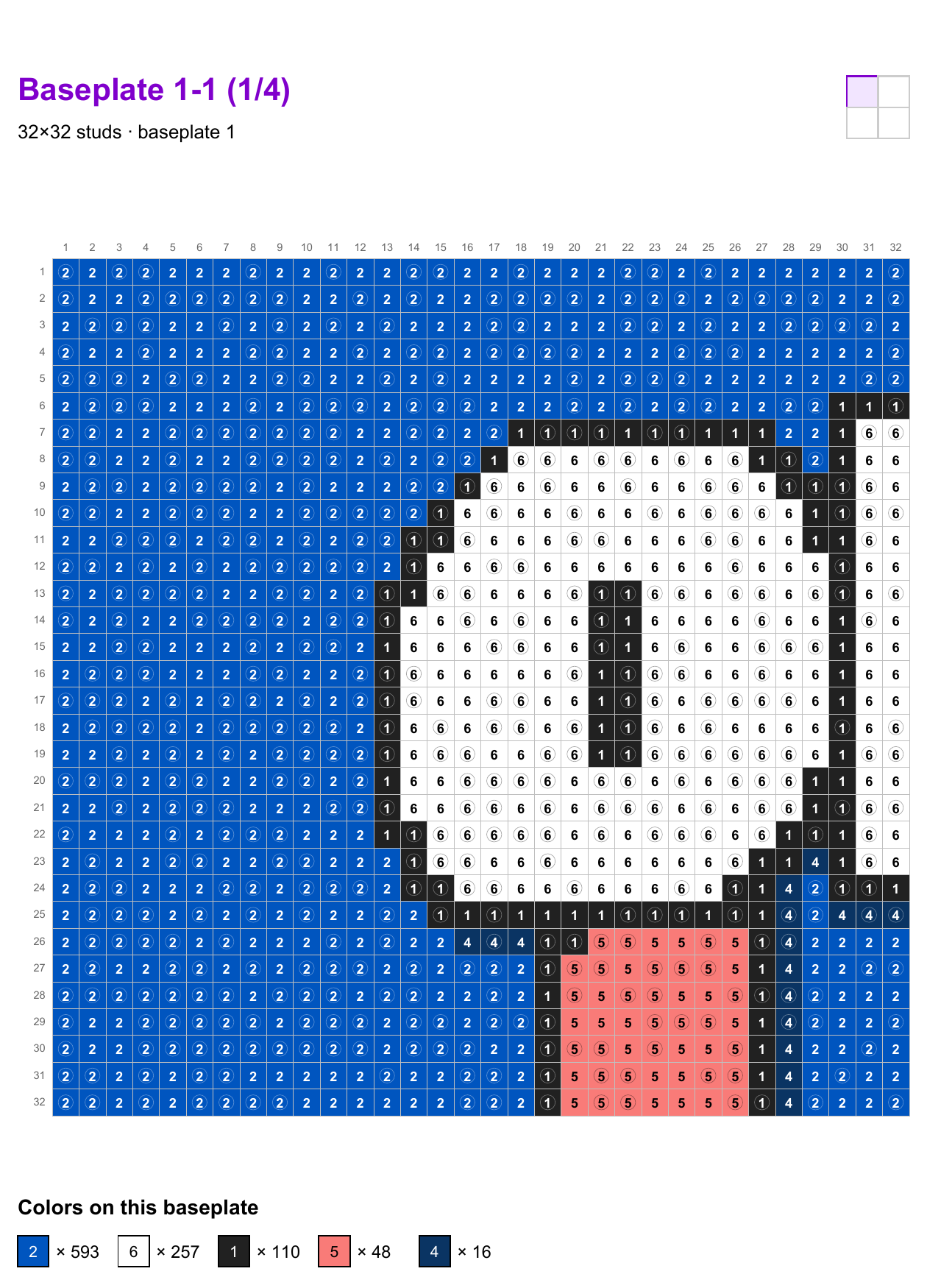
Each baseplate page focuses on a single section of the mosaic. Numbered rows and columns help you locate each position, and every cell contains the corresponding color number. Small stud circles distinguish Basic pieces from smooth Tiles.
Circle = visible stud
No circle = smooth top
A small layout diagram highlights the plate’s position in the complete artwork. Below the grid, Colors on this baseplate gives the quantities needed for that section, so you can prepare one plate’s pieces before starting.
For the first plate in “Oh la la!”, that means 593 Bright Blue, 257 White, 110 Black, 48 Vibrant Coral, and 16 Earth Blue pieces: 1,024 pieces in total. The larger project becomes a series of manageable sections.
You can work row by row or complete small areas, checking the coordinates as you go. If you take a break, note your last completed row or position before putting the guide aside.
Bring the finished sections together
The Finished mosaic page gives you a visual reference for the complete result. The Assembly Map then shows how to arrange your completed baseplates.
In this example, plates 1-1 and 1-2 form the top row, with 2-1 and 2-2 underneath. Matching these labels to the individual building pages helps keep the lettering, outlines, and background aligned across the joins.

Prepare your parts with the inventory
The final Inventory gathers the project’s piece requirements by color, with separate Basic and Tile counts, totals, and part references. Use it to check your collection and identify what you still need to source.
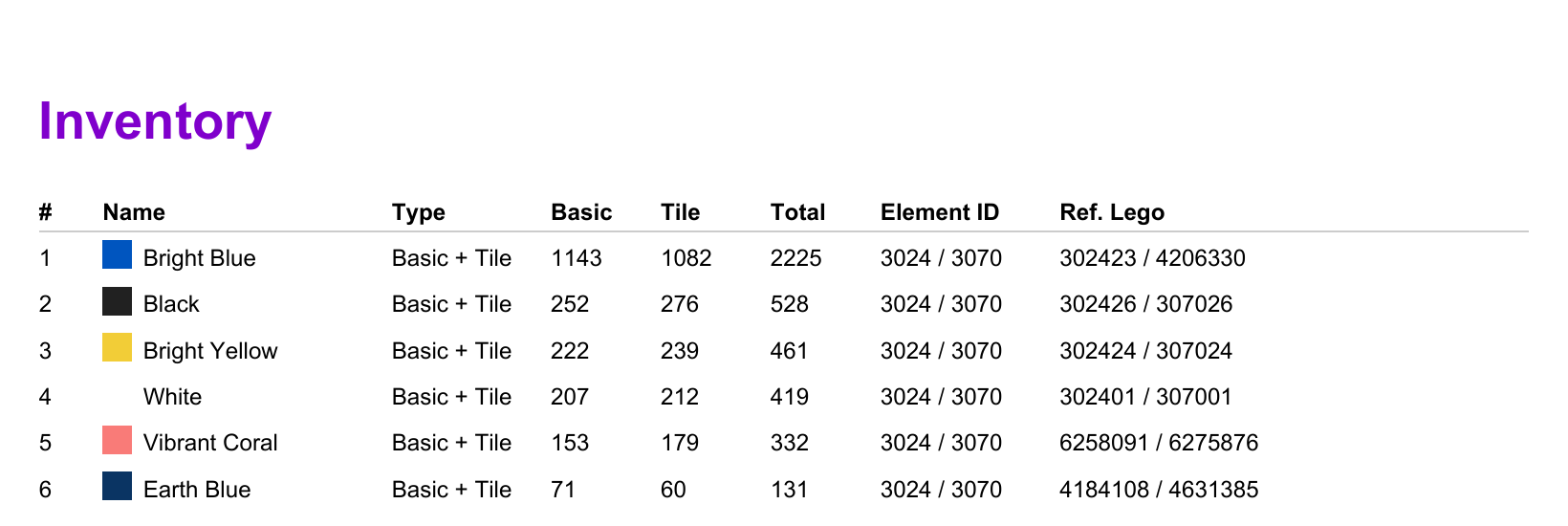
For “Oh la la!”, the inventory totals 2,048 Basic pieces and 2,048 Tiles. These are the pieces that form the mosaic image; prepare the four baseplates separately. When sourcing parts, match the color name and piece type as well as the listed reference.
Reading tip. A useful distinction when reading the guide: use the Color Legend to decode the numbered grid cells. The inventory is a separate list and may put the colors in a different order.
Keep the guide beside you
Print the PDF or open it on a tablet or computer, then keep the current baseplate page within reach. Sort your pieces, check the plate’s orientation, and let the grid handle the counting while you concentrate on the build.
Ready to turn your own design into something you can assemble? Open your project in Sozaik Studio, finish your mosaic, and generate its Build Guide from the Download menu.
Guide excerpts: the “Oh la la!” project, generated with Sozaik. Cover: illustrative composition based on the guide.

0 comments
to join the discussion.